
MassMutual App
Redesign of the mobile app experience.
Improving user flows and bill payment with Human-Centered Design
Project & Company Details
MassMutual
Insurance, retirement, and investing. That’s what we do. People helping people. That’s who we are, and mutuality is the principle that’s guided us since the beginning.
The MassMutual app manages your life insurance and retirement account details in one place and on the go you can handle payments, review balances, pay down premiums, review policy info, and much more!
The Ask
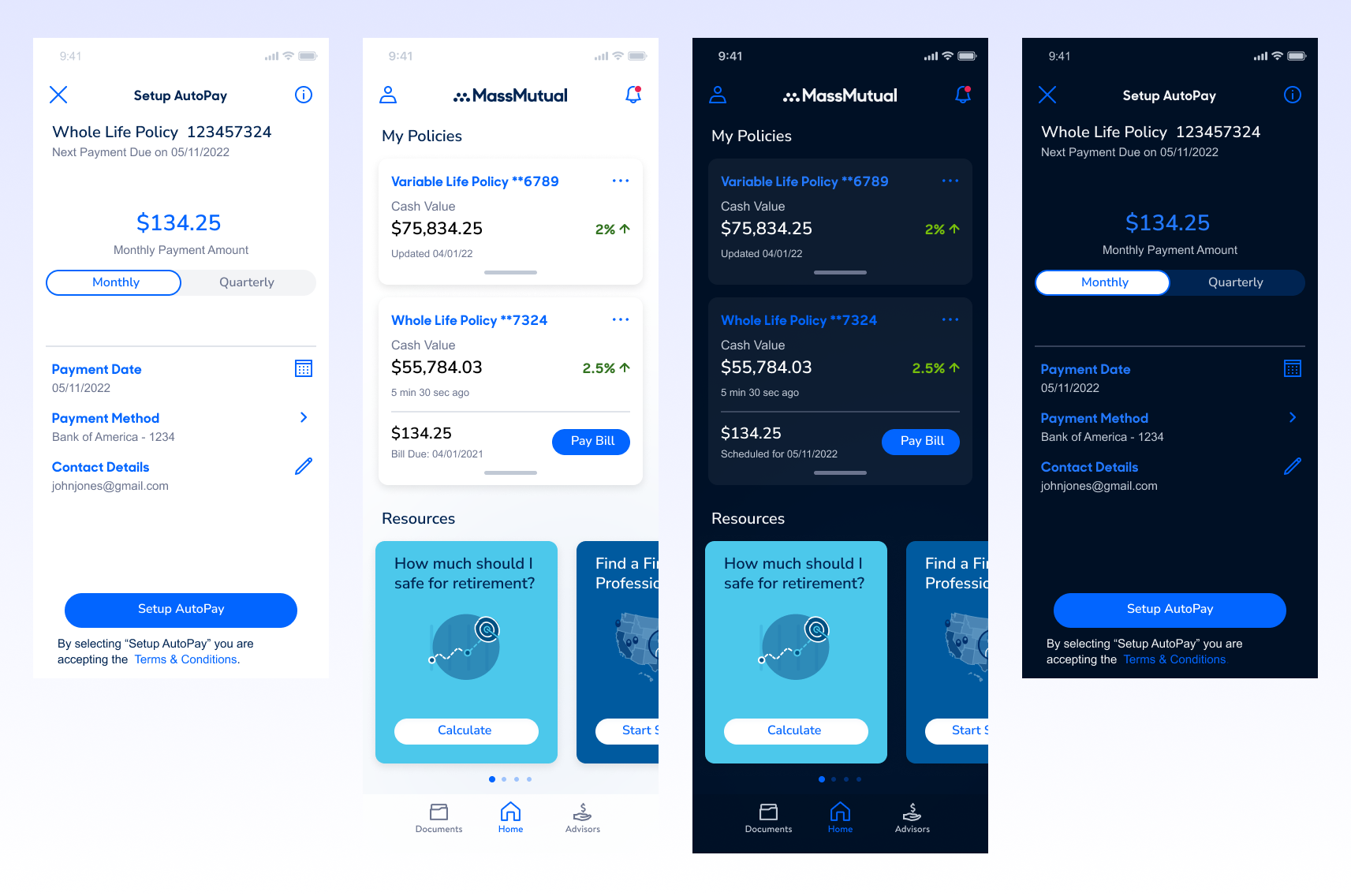
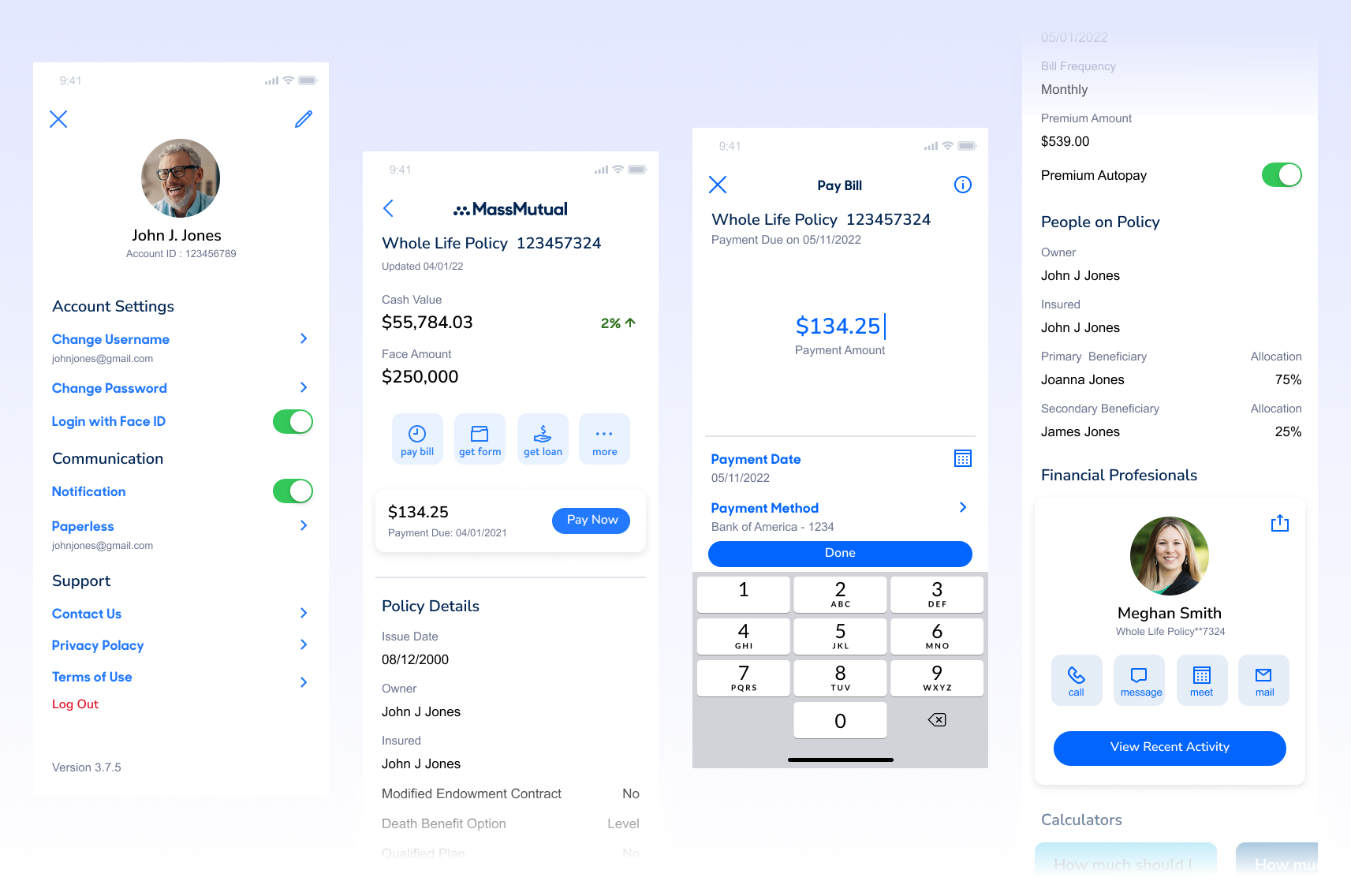
Full app refresh and new native design system for iOS and Android. Improved UX by optimizing flows and streamlining content.
The Approach
Led a full redesign of a mobile app by applying the Design Thinking framework.
-
Empathized with users through interviews and usability audits to uncover core pain points.
-
Defined key problems based on both user frustration and business goals.
-
Ideated and prototyped multiple solutions, prioritizing accessibility, simplicity, and task flow.
-
Tested designs with real users, iterating based on feedback to ensure usability and alignment with business needs.
-
Implemented final designs in close collaboration with engineering, ensuring high-quality delivery.
Pain Points
Confusing Application Flow
-
Problem: Users face unclear navigation paths, redundant questions, or overwhelming forms.
-
Impact: Leads to drop-offs, incomplete applications, and frustration during onboarding.
Lack of Payment Flexibility & Transparency
-
Problem: Limited payment options (e.g., no digital wallets, auto-pay setup), unclear due dates, or poor visibility into billing history.
-
Impact: Missed payments, increased support calls, and poor customer trust.
Limited Policy Visibility and Status Tracking
-
Problem: Users can’t easily view what stage their application or payment is in (e.g., “under review,” “approved,” or “payment pending”).
-
Impact: Users feel uncertain or lost, leading to unnecessary support interactions.
Outdated UI and Accessibility Barriers
-
Problem: Cluttered interfaces, poor contrast, non-intuitive icons, and lack of screen reader support.
-
Impact: Hurts trust, alienates users with disabilities, and reflects poorly on brand credibility.
Loading…
Additional context coming soon